Pages

Subscribe:
Showing posts with label Online Tools. Show all posts

Thursday, August 26, 2010

WobZip: Scan, Uncompress and Download Archives

It may happen sometimes that you are using a public computer and do not have admin rights to install a desired archiving software to unpack an archive or you don’t want to unpack the archive locally due to some virus threats. In such cases, you only have the option of online tools to unzip your archives.

WobZip is one among those Web services that lets you uncompress your archives on the fly. This service is presently at beta state and supports a wide variety of archiving formats which includes popular ZIP, 7-z, RAR, and TAR. It also includes many other formats like NSIS, RPM, and DEB etc.


To get started with WobZip, Firstly you need to upload files from your local computer or from URL. Uploading from URL lets you unzip the files directly from the Internet even without downloading it.  Mainly, it ensures you that your file is free from any virus before actually downloading them. It also supports password protected archives.

Once you are done with uploading the zip file, WobZip remotely unpacks the zip file and display the file contents as a result.

You can download each file separately. The ability which is missing in this service is to download all the unpacked files at once. However, if you are keen to download all the files at once you can queue them in a download manager. WobZip nevertheless does support the download of all files as Zip archive.


WobZip Scans and Uncompress Archives

Overall, WobZip is a quick online tool to let you unpack the archives either from your local computer or from Internet URL. It removes any infected file or virus before you download it to your computer. WobZip do limits the maximum file size to be 100 MB. WobZip claims that each file that is uploaded on the server is hashed so that it is not opened or viewed. However, it is not advisable to use this service for private and security purposes.


Tuesday, August 24, 2010

How To Know If The Other Person Has Checked Your Mail

It is very common phenomenon that we neglect the mails that irritate us. Though, we read those mails but do not bother to reply. The other party however remains in a wrong perception that the recipient hasn`t seen the mail. This situation is quite prominent in case of apply for jobs, talking to school Principal or while setting up a complaint against any organization. What if you could track your mail and find out if the other person has read your mail?

Now tracking of mail is very much possible. No more guessing whether he or she has read the mail. SpyPig is simple email tracking system that sends you a notification as soon as recipient opens and reads your mail.


SpyPig works well on major email programs like Outlook, Eudora, Yahoo, Gmail, Hotmail, AOL etc. And the best part is that SpyPig is absolutely free and simple to use. However, there are some limitations; it demands both the parties to use an HTML formatted email, not a plain text or rich text formatted email. It might also be possible that the recipient side`s firewall blocks the image.

Sometimes we even send emails to multiple people. SpyPig works and notifies you in such cases too. However, it doesn`t tell you which recipient has seen the mail.

To start with spying, initially you have to enter the senders email address followed the message title that you will be sending. Next, you have to select the SpyPIg tracking image. The webpage comes with 5 such images. Out of which, one of it acts as invisible image. You can upload your own image as well.  Then select the number of notifications to receive. It varies from 3 to 100. Step 5 would be clicking the activate button. The selected image appears in a box below the button. You have to copy that image and paste it in your mail within 60 seconds. (Here comes the importance of invisible image, other party will not know if there is any image) and then send the image as usual.

Below are the snapshots of the notification that I received when the other party checked the mail.


Though the services tells the notifications accurately, but some information may not be accurate.  The recepient browser was wrong in my case. It showed Safari though I used chrome. Other details very accurate. It showed the same IP address for sender and receiver. It was correct as I was checking this on the same PC, in same network with my alternate email ID.

I found this service quite interesting. I think I can call myself as a detective now. What do you have to say about this? Do let us know your comments.

Effortlessly Transfer Files Between Any Two PC on the Web through P2P

Have you ever wished of a way to transfer your files to your peers, friends or family right from your computer to their computer without uploading the files to any server? If you are in search of such a service then iSendr is there to help you.

iSendr is a web-application that enables On demand peer to peer file transfer. It lets you transfer files without much of effort involved. As it uses P2P technology, hence there is no limit on size of file to be transferred.

To ensure the secure file transfer, it supports AES -128 bit encryption. However, it also gives you the flexibility to protect the entire process with a password.


To get started, just head over to iSendr.com, Click on “Send a File” link to select  the file to be sent from the file browser. After sending the file, you will get a unique link to let other person retrieve the file from your side. You can share this link with person on the other side to enable him to connect to your PC and download the sent file to the PC at his side.


Once you are done with the sending of file, iSendr will wait for your peer to connect. Once the other peer has connected using the unique link the file download starts from your PC and person on the other side can very easily save it to his PC.


If you are looking to share your large file from one PC to another over the Internet without any hassle involving upload to server etc. Then, iSendr is the best tool for you to transfer your files faster than any other available alternatives.

Visit iSendr.com

Calendarika allows you to create custom calendars for free

Calendars play a crucial role in determining dates. Therefore, we must always have Calendar at our finger tips. In addition to the prime aim of telling us the dates, Calendars must also look good. Calendarika.com is an interesting free online calendar making site. Using this website, you can even create your own custom calendars (high resolution) for free and make your desktop all the more beautiful.

To make a calendar, you just need to follow 3 steps.  The first step would be the selecting of templates amongst the given choices. There are approximately 35 templates available on the site. You proceed by selecting one of it. The second step asks for two images, one for main photo and other as background image. You can either upload it from your PC`s or take it from internet by giving the path. After that the images will be uploaded. The interface has a button called ‘Print’. On clicking it, the calendar gets printed. You can then save the calendar and use it on your website.

I really liked this custom calendar making website. What are your take on this? Feel free to share with us.

Top 5 Instant Messaging services

There are various Instant Messaging (IM) services available like AIM, GTalk, Yahoo, MSN, Skype etc. And if you use more than one IM services, don`t you think it will be easy if you have a single platform featuring most of IM services.
Presenting below is the list of top 5 websites which allows multiple IM services. Every website may support different IM services; hence you see and select the one which suits you the most.

It is an interesting website supporting multiple Instant messaging services. To be precise, it supports 7 IM services namely MSN, Yahoo, AIM, Google Talk, MySpace, Skype and Facebook. With imo.im, you do not need to sign up, you just have to login using anyone of these 7 clients. imo.im also allows you to chat via voice and video apart from text.


It is one of my favourite IM clients, the sole reason being its support for huge number of clients, nearly all available clients. It supports AIM< Yahoo, Facebook, Windows Live, MySpace, Google Talk, ICQ, Jabber, Are you interested etc. To be exact, Meebo supports 64 clients. However, most of these clients must be alien to most of the users and it also misses Skype. Meebo supports sharing of files, Video/audio call, group chat and even playing of games.


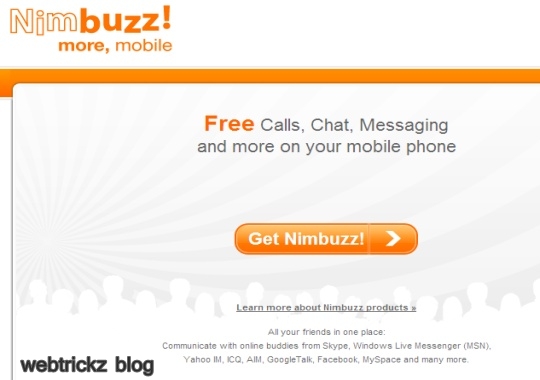
It is a widely famous client available for most of the handsets as well. However, it also has web based IM service. It supports 12 IM services including Windows Live, Yahoo, Facebook, Google Talk, AIM, MySpace, ICQ, StudiVZ, SchulerVZ, Gadu-Gadu, Hyves and Skype. One limitation here is that it only supports text messages and not voice or video chats.


It is yet another multiple IM manager services which support 7 clients including MSN, Yahoo, GTalk, Facebook, ICQ and MySpace. Unlike Nimbuzz, it supports video and voice chat.


It has a simple interface supporting 7 clients namely AIM, MSN, Yahoo, Gtalk, ICQ, Gadu-Gadu and Xfire. Though it doesn`t offer the huge number of services what Meebo does, but you can easily send text messages and emotions with KoolIM.
How did you like the above mentioned clients? Which one is your favourite? Do let us know your views.